

Introduction
Imagine this—you’re halfway to work or school when it suddenly hits you: Did I lock the door? Your heart skips a beat, and you can’t stop thinking about it. That’s where smart locks and security systems come in. Both are designed to protect your home, but they do it in very different ways.
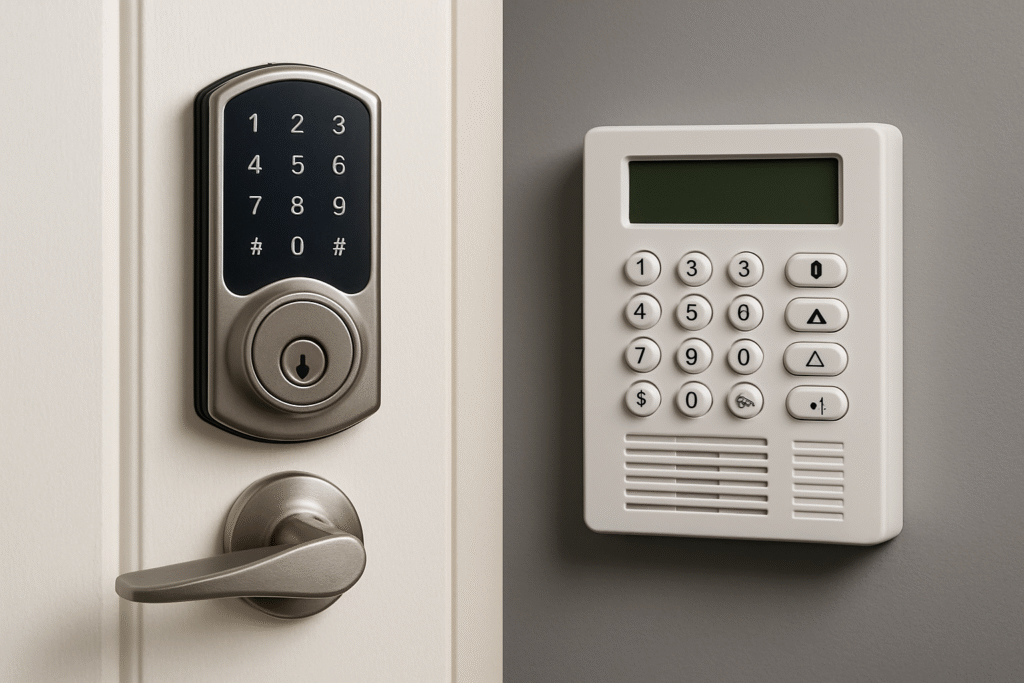
Think of a smart lock as your friendly doorman—it knows who belongs and who doesn’t. A security system, on the other hand, is like a neighborhood watch that never sleeps.
In this guide, we’ll break down what each does, compare their strengths, and help you decide which to buy first. We’ll also show you how they can work together to keep your home safe and your life stress-free.
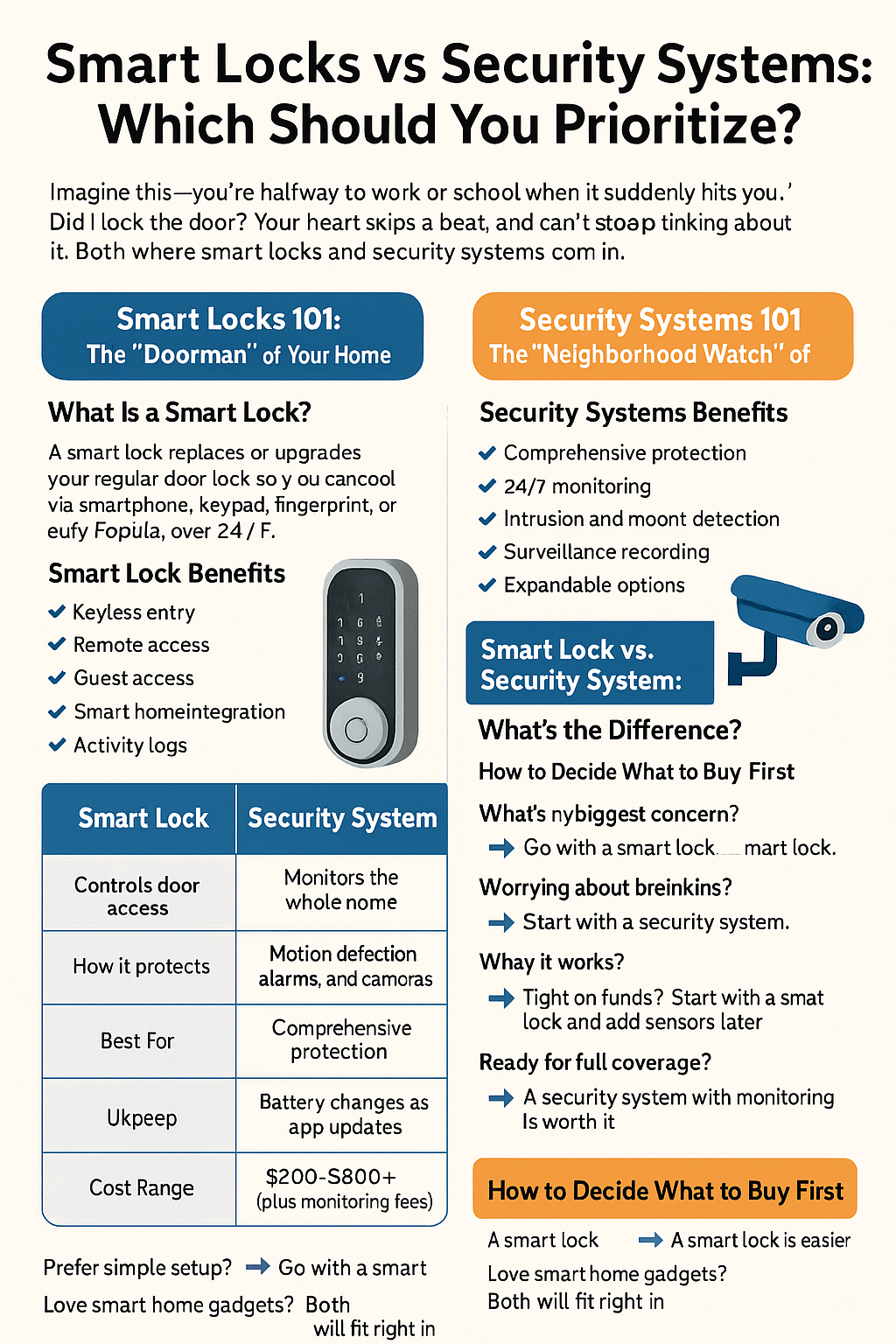
Smart Locks 101: The “Doorman” of Your Home
What Is a Smart Lock?
A smart lock replaces or upgrades your regular door lock so you can control it using your smartphone, keypad, fingerprint, or even voice. Popular models like August, Schlage Encode, Yale Assure, and Eufy let you unlock your door remotely, share temporary access codes, and integrate with Alexa, Google Assistant, or Apple Home.
Smart Lock Benefits
- Keyless entry: Say goodbye to lost keys.
- Remote access: Lock or unlock from anywhere using your phone.
- Guest access: Give friends, cleaners, or delivery drivers a temporary PIN.
- Smart home integration: Pair your lock with lights or voice assistants for easy automation.
- Activity logs: See who unlocked your door and when.
Installation & Compatibility
Most smart locks fit standard doors and take about 15 minutes to install using a screwdriver. If you rent, choose retrofit models that replace only the interior side, so there’s no drilling.
Maintenance Tips
- Replace the batteries every 6–12 months.
- Clean the keypad regularly to prevent wear.
- Keep your app updated to avoid connection issues.
- Always have a backup access option, like a hidden key or an external power port.
Smart Lock Drawbacks
- Battery dependence: If you forget to change batteries, you could get locked out.
- Connectivity issues: Weak Wi-Fi or Bluetooth can cause delays.
- Hacking risks: Like any smart device, you need strong passwords and two-factor authentication for protection.
Security Systems 101: The “Neighborhood Watch” of Your Home
What Is a Security System?
A home security system includes devices like door/window sensors, motion detectors, cameras, and alarms that alert you to intrusions or emergencies. Some systems, like Ring, SimpliSafe, ADT, and Eufy Security, even offer 24/7 professional monitoring—a team that can contact emergency services for you.
Security System Benefits
- Comprehensive protection: Covers multiple entry points, not just the front door.
- 24/7 monitoring: Professionals watch for emergencies day and night.
- Intrusion and motion detection: Instantly alerts you to break-ins.
- Surveillance recording: Captures evidence if something happens.
- Expandable options: Add smoke detectors, CO sensors, or water leak detectors.
Security System Drawbacks
- Installation cost: Professional setups can be pricey, though DIY kits are more affordable.
- Monthly fees: Professional monitoring often requires a subscription.
- Privacy concerns: Cameras and microphones need to be properly managed.
- Maintenance: More devices mean more batteries and updates to manage.
Smart Lock vs. Security System: What’s the Difference?
| Feature | Smart Lock | Security System |
| Main Purpose | Controls door access | Monitors the whole home |
| How It Protects | Keyless entry, remote control, and logs | Motion detection, alarms, and cameras |
| Best For | Everyday convenience and access control | Comprehensive protection and monitoring |
| Upkeep | Battery changes and app updates | Sensor maintenance and possible subscription fees |
| Cost Range | $100–$300 | $200–$800+ (plus monitoring fees) |
Real Talk
A smart lock handles who comes in and out—it’s your gatekeeper.
A security system watches for intrusions, fires, or leaks—it’s your guard dog.
They do different jobs, but when used together, they create powerful, layered protection.
How to Decide What to Buy First
Ask yourself these quick questions:
- What’s my biggest concern?
- Forgetting to lock up? → Go with a smart lock.
- Worrying about break-ins? → Start with a security system.
- Forgetting to lock up? → Go with a smart lock.
- What’s my living situation?
- Renting: Pick a smart lock with easy removal.
- Owning: You can safely install both systems.
- Renting: Pick a smart lock with easy removal.
- What’s my budget?
- Tight on funds? Start with a smart lock and add sensors later.
- Ready for full coverage? A security system with monitoring is worth it.
- Tight on funds? Start with a smart lock and add sensors later.
- How tech-savvy am I?
- Prefer simple setup? A smart lock is easier.
- Love smart home gadgets? Both will fit right in.
- Prefer simple setup? A smart lock is easier.
Real-Life Scenarios
1. Apartment Living
- Priority: No drilling, quick setup.
- Best pick: A retrofit smart lock and a few door/window sensors.
- Why it works: Keeps you secure without violating lease rules.
2. Single-Family Home
- Priority: Full-home coverage.
- Best pick: Start with a security system, then add a smart lock to the main entry.
- Why it works: You’ll have both access control and whole-home protection.
3. Vacation Home or Airbnb
- Priority: Remote control and guest access.
- Best pick: A security system with cameras and monitoring, plus a smart lock for guest codes.
- Why it works: You can check in guests and monitor your property from anywhere.
4. Office or Small Business
- Priority: Employee tracking and after-hours security.
- Best pick: Combine smart locks with access logs and a security system for tamper alerts.
- Why it works: Tracks who enters while protecting valuables inside.
Budget and Long-Term Value
- Smart locks usually cost $150–$300, with no ongoing fees.
- Security systems start around $250, but professional monitoring adds a monthly cost (often $10–$30).
- Over time, monitoring can save money through insurance discounts and faster emergency response.
- Both systems pay off in peace of mind—especially if you travel or have a family.
Safety and Reliability Tips
- Backup access: Choose locks with mechanical keys or external battery ports.
- Offline options: Pick models that still work over Bluetooth if Wi-Fi goes down.
- Tamper alerts: Make sure your system notifies you instantly if someone tries to break in.
- Strong passwords & 2FA: Always secure your devices with two-factor authentication.
- Regular updates: Keep firmware and apps current to stay protected.
Smart Home Integration: Better Together
When smart locks and security systems work together, your home becomes truly intelligent:
- Your door locks automatically when you arm the alarm.
- Disarming the system with your PIN can also unlock the door.
- Cameras start recording automatically if the door opens at odd hours.
- Use voice assistants to control everything hands-free.
Together, they form a centralized, automated, and secure setup—no more second-guessing if you locked up.
Future of Smart Security
- AI-powered alerts: Cameras can recognize familiar faces or suspicious behavior.
- Cloud-based management: Control multiple homes or properties from one dashboard.
- IoT integration: Devices communicate for smarter automation.
- Predictive security: Systems that learn your habits and alert you to unusual activity.
Buying Guide: What’s Right for You?
| Type of User | Best Pick | Why |
| Budget-Conscious | Smart Lock | Lower upfront cost, easy upgrade later |
| Tech-Savvy Homeowner | Smart Lock + DIY Security System | Full control and voice integration |
| Frequent Traveler | Monitored Security System | 24/7 protection when you’re away |
| High-Security Needs | Professional Security System + Smart Lock | Layered protection and peace of mind |
Maintenance Made Easy
- Smart lock not connecting? Reboot your Wi-Fi hub or recalibrate the bolt.
- Sensor not responding? Replace batteries or re-pair it in the app.
- App issues? Update the app or reconnect your smart home platform.
- Firmware updates: Always run the latest software for better security and performance.
The Bottom Line
If you care most about daily convenience—no more keys, easy access for family and guests—start with a smart lock.
If you care most about total protection—knowing someone’s watching even when you’re asleep—start with a security system.
But the real magic happens when you combine both. That’s when your home becomes smarter, safer, and more comfortable.
Conclusion
Your home’s security isn’t about choosing one gadget—it’s about building layers of protection that fit your lifestyle. A smart lock makes your daily routine effortless. A security system guards the bigger picture.
Start small if you need to, but keep building. Your peace of mind is worth it.